
A review request email should be short enough to read on a lock screen: who it is from, why it matters, one link, nothing else. Send it from a person rather than a brand, write a subject line that says what it is, and remove every other link in the message. The commonest reasons these emails fail are a subject line that sounds like marketing, a design-heavy template that looks like a newsletter, and three competing calls to action.
The best review request emails look like a note from a person who has not discovered email design. That is not a coincidence.
What the email has to do
One thing: get the person to the review box while they still feel positive. Everything that does not serve that is working against it, including your logo, your social icons, your latest offer and the footer with six links in it.
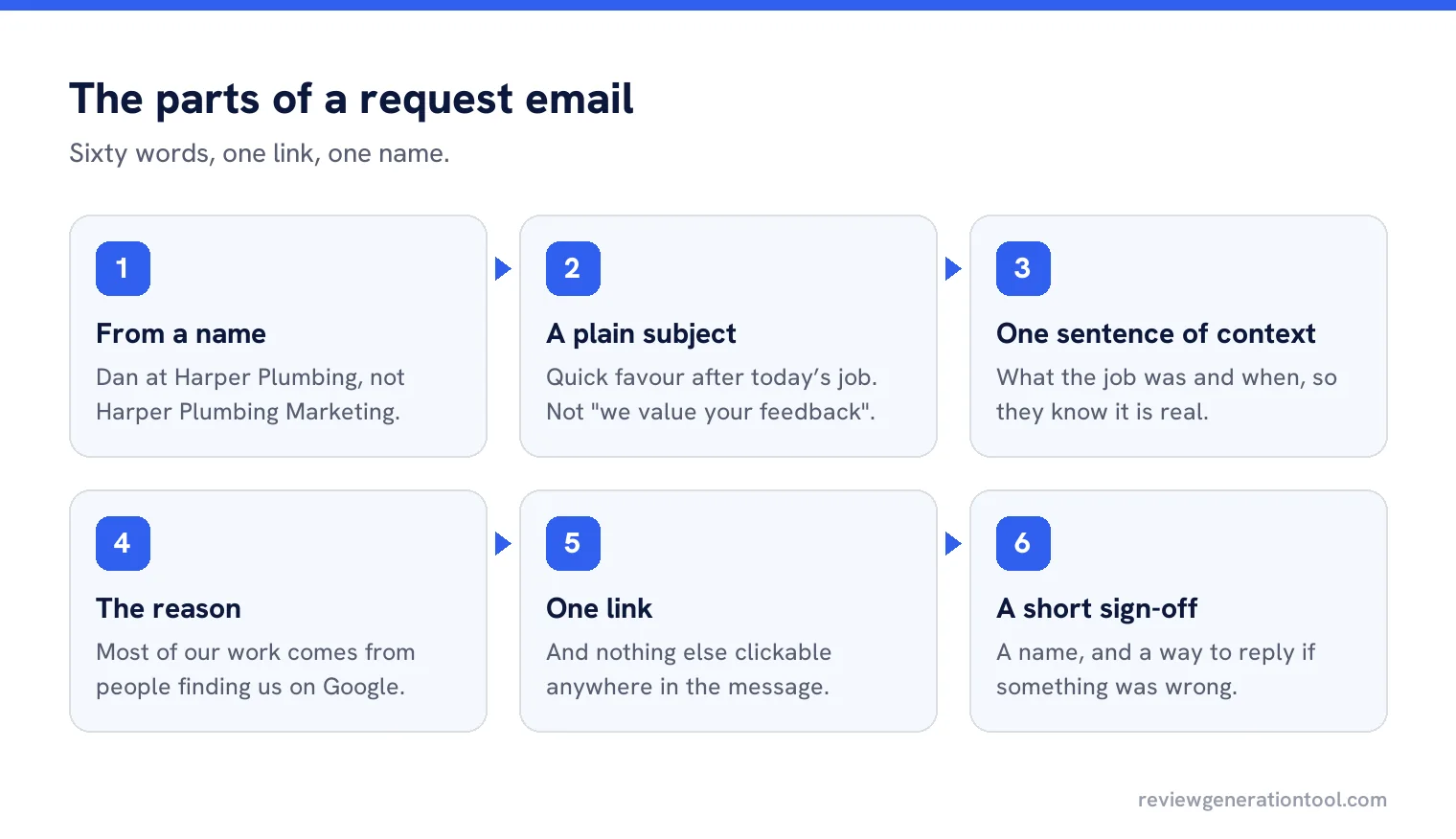
The parts, in order
From a name
“Dan at Harper Plumbing” rather than “Harper Plumbing Marketing”. People open messages from people.
A plain subject line
“Quick favour about today’s job” or “How did we do today?”. Not “We value your feedback” and nothing with an emoji.
One sentence of context
What the job was and when, so they know it is real.
The reason
“Most of our work comes from Google, and a review helps more than you would think.”
One link
A button or a plain link. Nothing else clickable in the message.
A short sign-off
A name, and a way to reply if something was wrong.
A worked example
Subject: Quick favour after today’s service
“Hi Sarah, thanks for having us out to the boiler this morning. Most of our work comes from people finding us on Google, so if you have a minute, a short review would really help us. It takes about a minute: [link]. If anything wasn’t right, reply to this email and I’ll sort it. Thanks, Dan.”
Sixty words, one link, one name, and an escape route for anybody unhappy. That last line is worth including because it catches problems before they become public, and it is not filtering: the review link is still there for everyone.
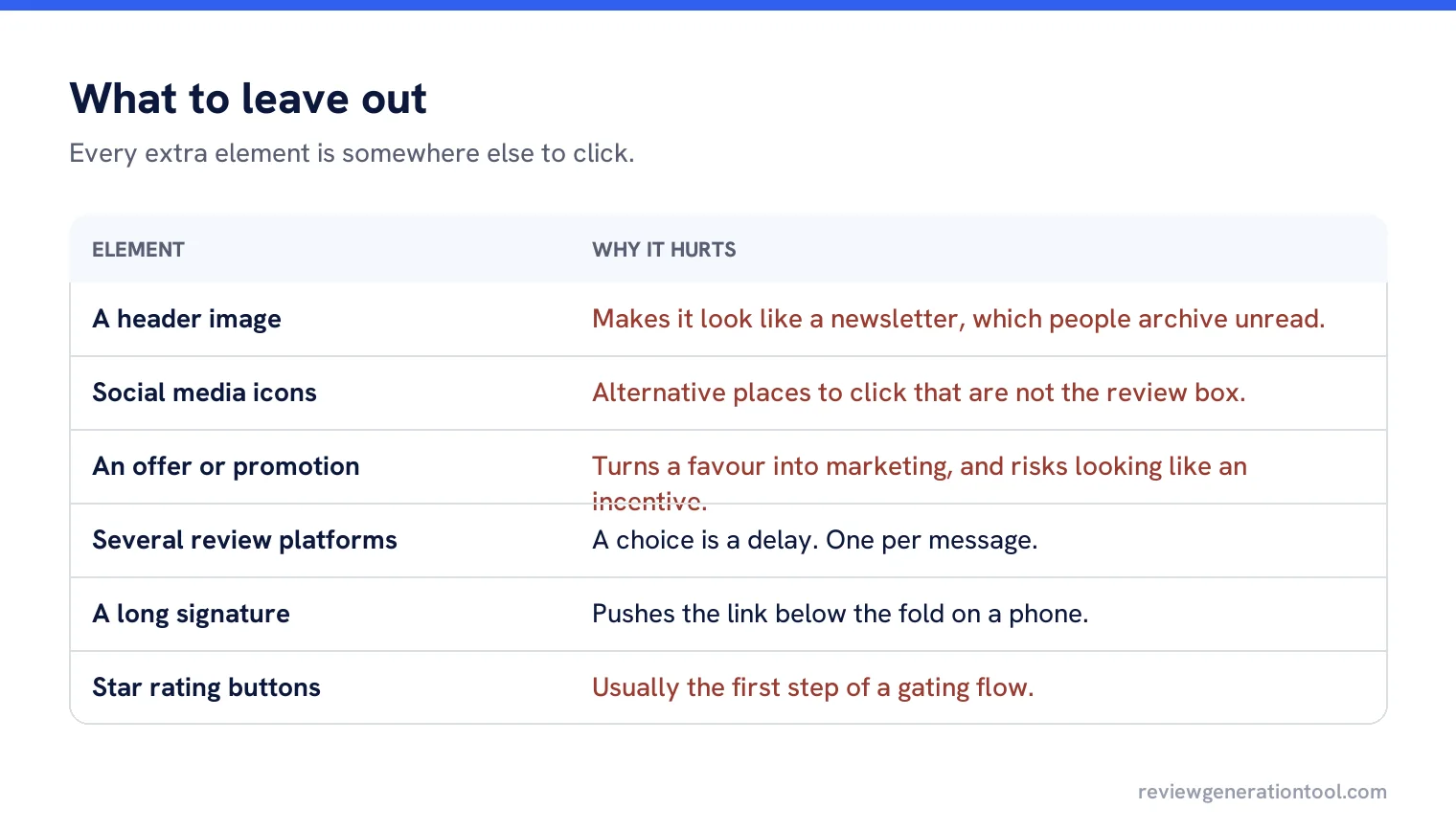
What to leave out
| Element | Why it hurts |
|---|---|
| A header image | Makes it look like a newsletter, which people archive without reading. |
| Social media icons | Alternative places to click that are not the review box. |
| An offer or promotion | Changes the message from a favour into marketing, and risks looking like an incentive. |
| Several review platforms | A choice is a delay. Pick one per message. |
| A long signature block | Pushes the link below the fold on a phone. |
| Star rating buttons in the email | Often the first step of a gating flow, which breaks the rules. |
Never grade before the link
Emails that ask “how did we do?” with star buttons, then send only the happy ones to Google, are review gating. Google treats reviews as needing to reflect genuine experience, and prohibits practices designed to manipulate what gets posted. Send everybody the same link.
Deliverability, briefly
Review requests go to one person at a time, which is the easiest kind of email to deliver, and businesses still get it wrong by sending from a domain with no authentication set up, or from a bulk platform configured as marketing. Send from the business domain, with the usual authentication records in place, and keep the message plain. Plain text and a link lands in the inbox far more reliably than a designed template.
Personalising without being creepy
Use the name and the job. Do not use everything you know. “Thanks for having us out to the boiler” is personal; “we noticed you also booked a service in March and live in a three bedroom house” is unsettling, and it makes the message feel automated even though the opposite was intended.
Subject lines that work and ones that do not
Good: “Quick favour after today’s service”, “How did we do yesterday?”, “Two minutes, if you have them”. Each says what the message is and sounds like a person.
Bad: “We value your feedback”, “Your opinion matters to us”, “Rate your recent experience”. These are the subject lines of automated surveys, and people have learned to ignore them without opening.
Email or text?
Text wins on speed and open rate; email wins when you need a little more context, when the customer gave you an email address and not a mobile, or for business customers who live in their inbox. Many businesses use both: text on the day, email as the reminder. The one rule is not to send both at once, which feels like pressure.
Measuring it
Three numbers: how many requests went out, how many links were clicked, and how many reviews appeared. The gap between the first two is your subject line and sender. The gap between the second and third is the review box itself, which usually means people who were not signed into a Google account.
Three more templates to adapt
A restaurant, the morning after. “Hi, thanks for coming in last night. We are a small place and reviews are how most people find us. If you enjoyed it, would you mind leaving a few words? [link] Thanks, Maria.”
A solicitor, after completion. “Dear Mr Patel, your sale completed on Friday and the file is now closed. If you were happy with how it was handled, a short review would be appreciated by our next client as much as by us: [link]. If anything could have gone better, please reply and tell me directly. Kind regards, Helen.”
A garage, same evening. “Hi Tom, your car is sorted and back on the road. A quick Google review helps us more than anything else we do: [link]. Any issues at all, call the workshop. Thanks, Steve.”
All three follow the same shape, and none of them mention stars, ratings, incentives or how wonderful the business is.
Keeping the template alive
Re-read it every six months, out loud, on a phone. Templates accumulate: a line about a new service, a link to the newsletter, a seasonal greeting that never got removed. The sixty word version is the one that works, and it only stays sixty words if somebody defends it.
Send requests that read like a person wrote them
Plain, personal review request emails and texts, sent automatically when a job is done.
Frequently asked questions
How long should a review request email be?
About sixty words. Who it is from, what the job was, why a review helps, one link, and a short sign-off with a way to reply if something was wrong.
Who should the email come from?
A named person at the business rather than a marketing address. People open messages from people, and the ask is personal by nature.
Can I include star rating buttons in the email?
No. Grading before the link and sending only the happy ones to Google is review gating, and reviews are required to reflect genuine experience.
Should I offer a prize draw for replies?
No. Incentives in exchange for reviews are prohibited, and that includes rewards offered to everybody rather than only to positive reviewers.
Email or text message?
Text wins on speed and open rate, email suits business customers and longer context. Many businesses text on the day and email as the single reminder.
Sources
The Google documentation behind the guidance on this page. Google changes these pages without notice, so check the date on any figure before you rely on it.